Virtual Master - installation and configuration

Please note that visually the installation looks different on different devices, but the essence always remains the same. You need to grant permissions to our apps.
Installation is not difficult, the main thing is to follow the steps correctly!
1. Download ROM for Android 11 ( link 1 or link 2 )
- 1.1 Download, install and run the virtual system manager Virtual Master 3.2.61 ( link 1 or link 2 ).
2. Installing a virtual Android:
- 2.1 Select "Add Custom ROM" and select the file you downloaded in step 1 on your device
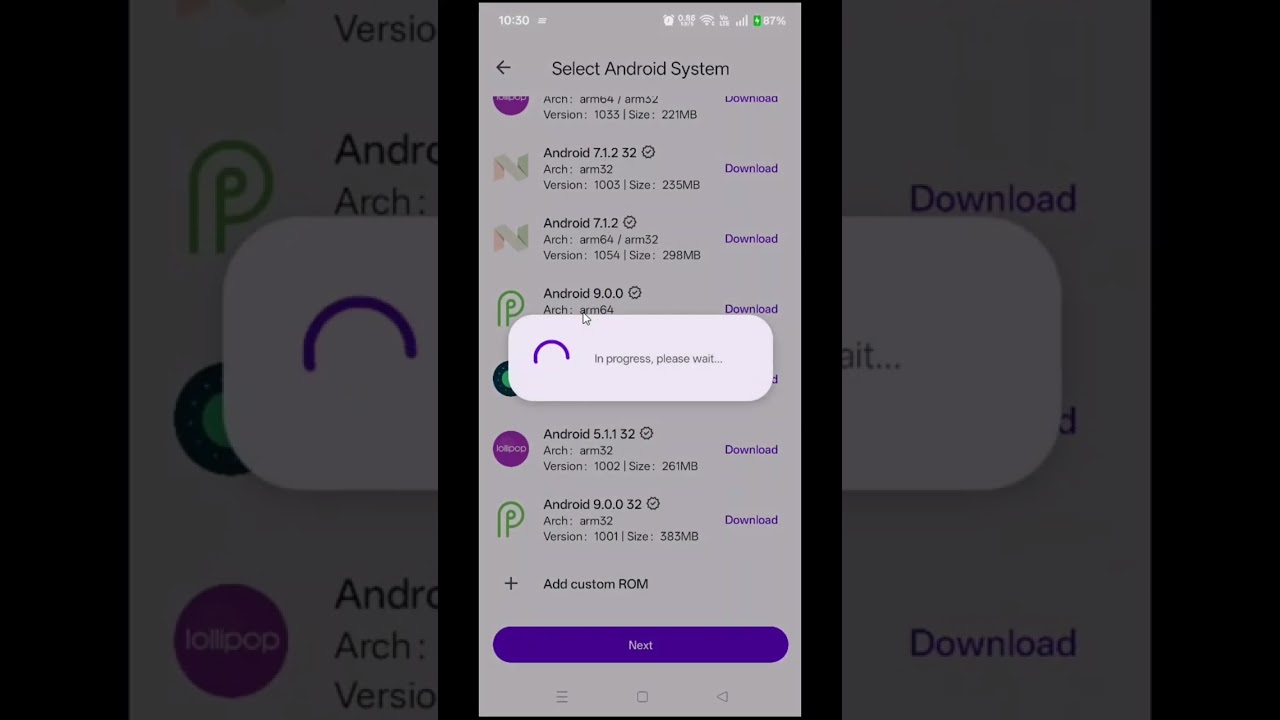
3. Sign in to your Google Play account and download the game
(Sometimes, during the first 1-2 starts of the virtual system, data may be updated and a reboot may occur - it’s okay, that’s how it should be!)
4. Launch GG Script Run (the application has a floating icon that can be moved to any location on the screen.).
- 4.1 Launch the game
- 4.2 Click on GG Script Run
- 4.3 Select your game that you want to hack
- 4.4 Press Any start button
The first time you run it, the necessary components will be downloaded.
You need to register or use an old account.
After confirming your email address, you can use the hack for any game available on our portal.

Next time to play a game with a script, follow these steps:
- 1 open the virtual machine
- 2 launch GG Script Run
- 3 open the game
- 4 click on GG Script Run and select your game from the list
- 5 run script.
If for some reason you were unable to launch the virtual system or our program, look on the Internet for other instructions that exist for your device or buy our service for setting up. (If we can't set it up, we'll refund your money!)