
Description
We will help you install a virtual system and configure our program.
In order for us to access your device and configure all settings, you'll need to install a remote access program. (Don't worry about your information; we don't need it. You'll be able to see everything I do on the device and can disconnect from AnyDesk or the internet at any time.)
- 1. InstallAnydesk from Google Play for remote access
- 2. Install AnyDesk ad1 plugin .
- 3. On your device, open:
- settings
- additional settings
- special functions
- downloaded applications
- Select anydesk AD1 and check the box
(items may be in another place) order, but somewhere this Anydesk AD1 must be enabled by checking a box)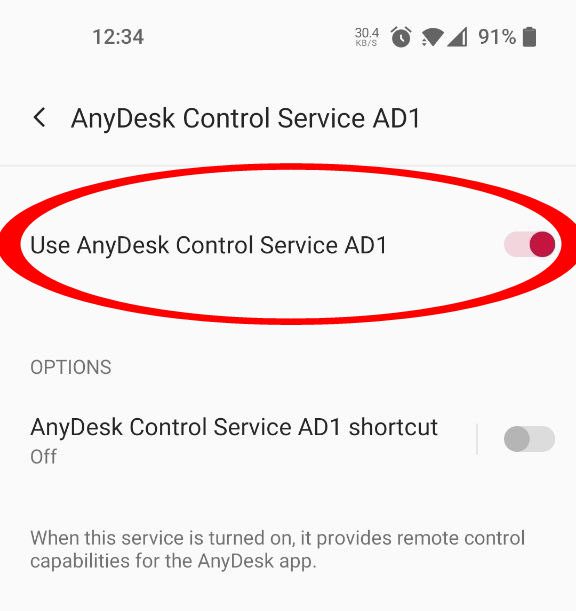
- 4. Restart your device
- 5. Launch Anydesk and specify the ID (9 or 10 digits) by which we will log into the device system and fully configure everything (the Anydesk program window must be open)
Telegram
If we can't set it up, we'll give you your money back!
I use an iPhone. I want to install it.
Scripts and mods work only on Android.